
Set Workday Start Time
Your workday does not have to end at midnight. If a cleaner goes out at 6:00 PM, finishes one building at 11:00 PM and checks in at the next at 1:00 AM, that is one shift — but by the clock it falls on two different days. The workday start time tells CleanGuru where one day ends and the next begins, so a shift that runs past midnight stays on the day it started.
How the Workday Is Counted
CleanGuru works in a 24-hour block. It begins at the time you set and ends one minute before that time the next morning — out of the box, 7:00 AM to 6:59 AM. The day a shift lands on is decided by when the cleaner checks in, not when they check out, so a shift that starts inside one block stays on that day even if it finishes long after the block has closed.
Setting the Time
Open Settings
Click the gear icon at the top right and choose Settings.
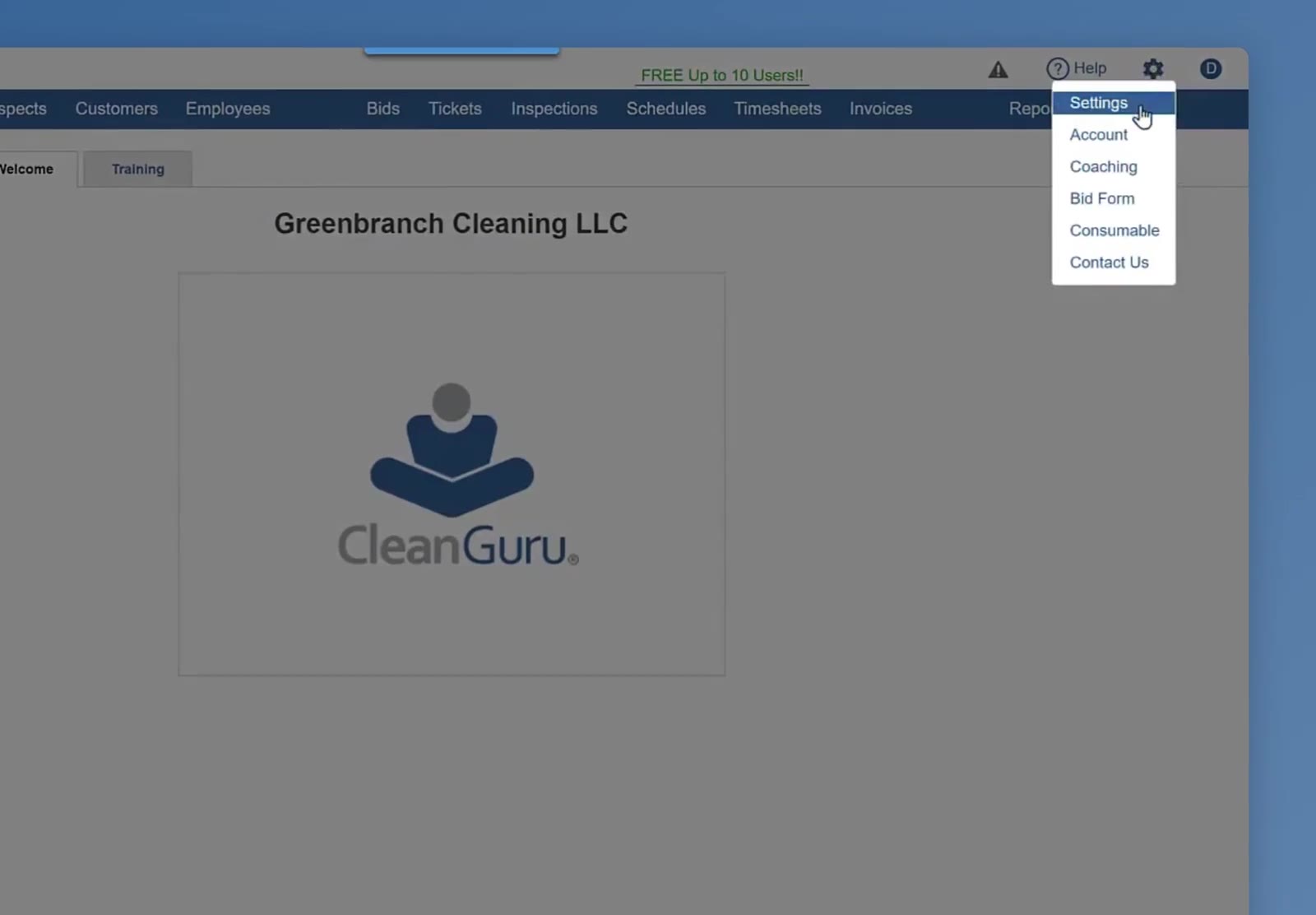
The gear menu at the top right, with Settings at the top of the list.
Open Schedules
On the Settings panel, click Schedules.
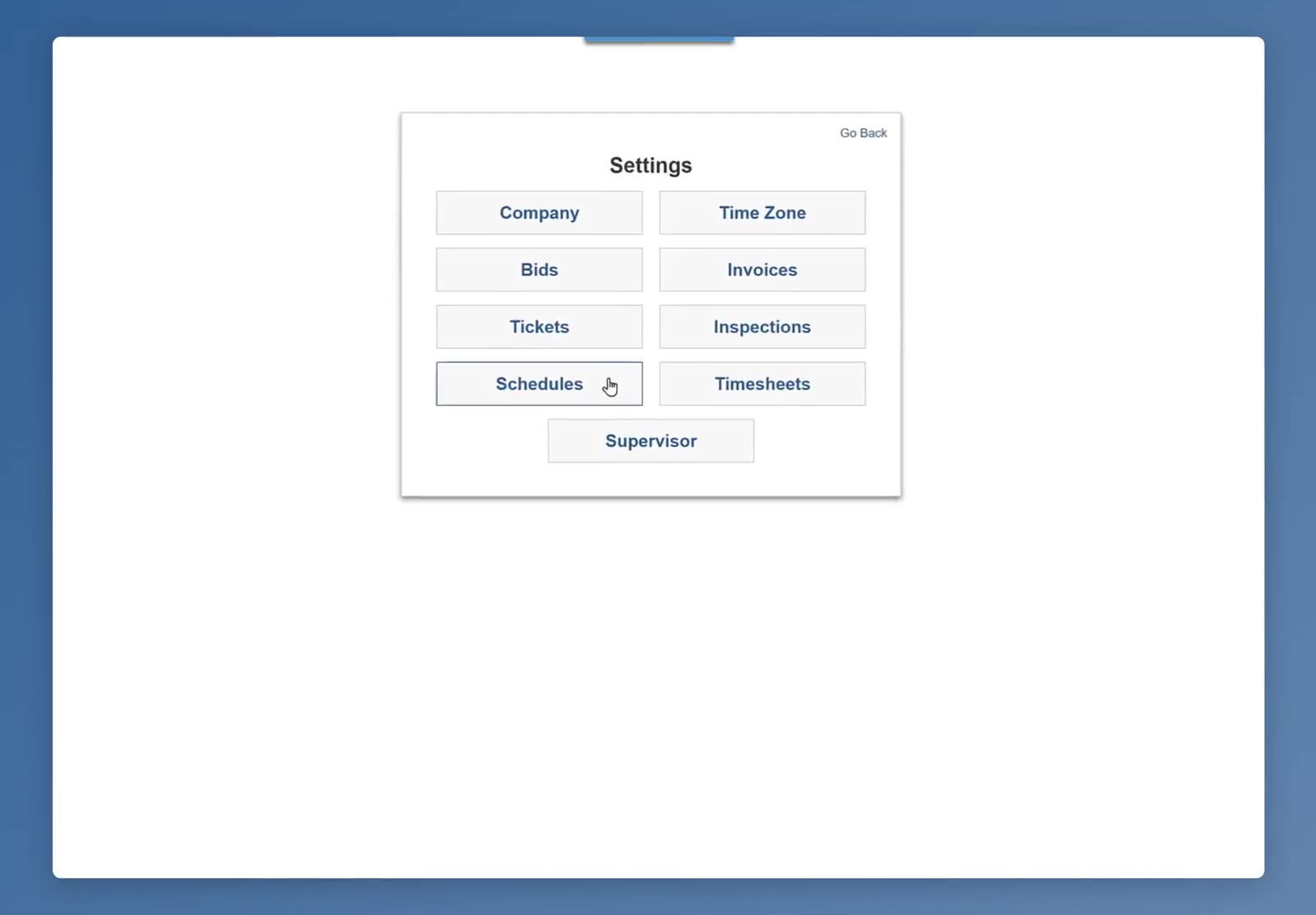
The Settings panel. Schedules holds the workday setting.
Set the time the workday begins
Click the Workday begins field and choose the hour your crews normally start. The ends time beside it updates on its own to one minute before — it is not something you type.
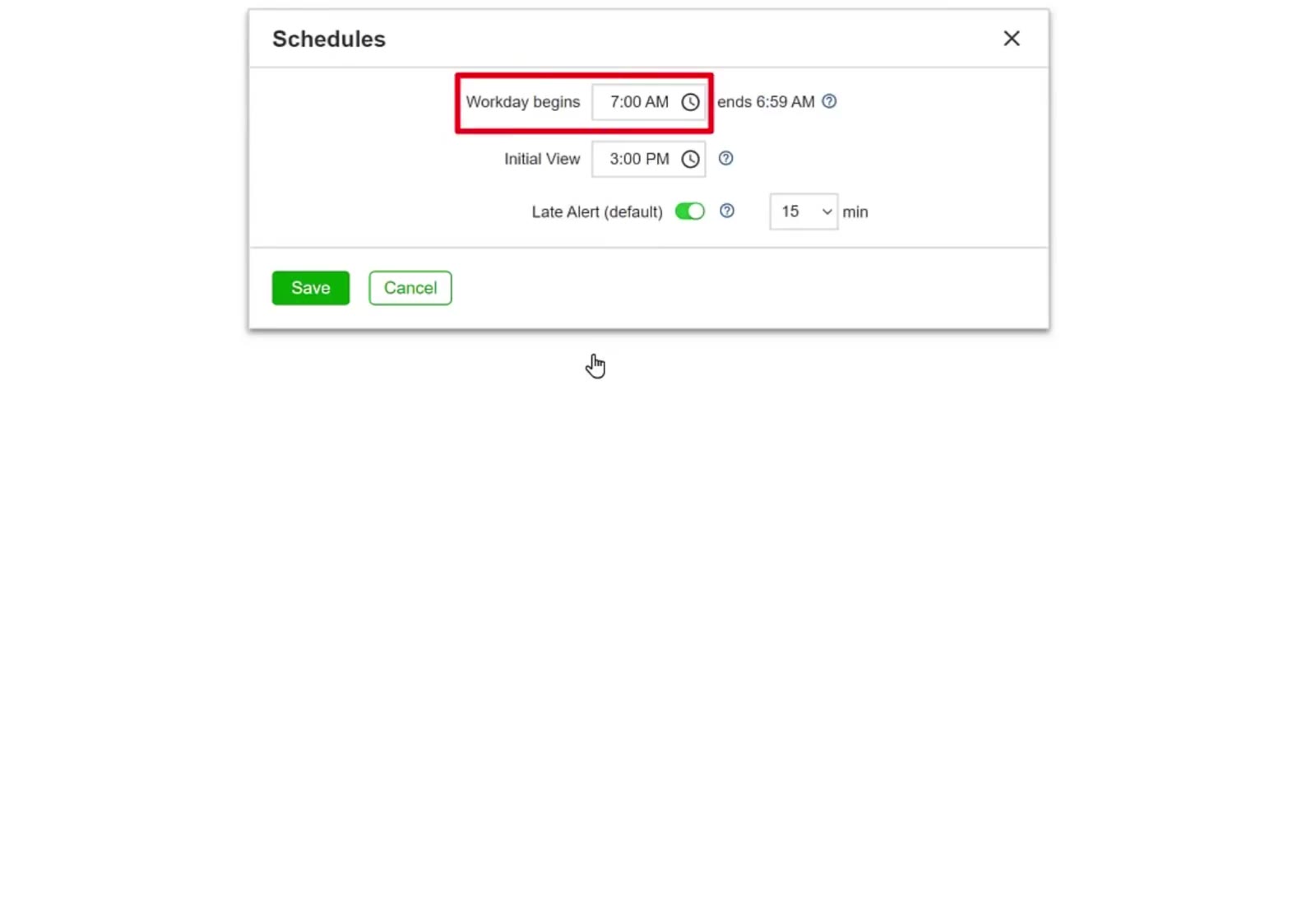
Workday begins, with the ends time calculated beside it. Initial View and Late Alert share the same box.
Set the other two if you want to
Initial View is the time the schedule opens at, so you land where your work actually is rather than at the top of the morning. Late Alert (default) tells you when someone has not checked in, and the dropdown beside it sets how long after their scheduled start time to wait first. Both are separate from the workday start time.
Save
Click Save to apply the change to your account.
With the workday set to match the hours your crews actually work, a shift that carries on past midnight stays on the day it began — so the hours land on the right day in your schedules and on your timesheets.
FAQ
A cleaner checks in at 1:00 AM. Which day do those hours land on?
The previous day. With a 7:00 AM start the workday runs through to 6:59 AM the next morning, so a shift that begins at 1:00 AM belongs to the day before. It is the check-in that decides — checking out later, even well into the next day, does not move the hours.
What happens if I leave it at 7:00 AM?
Your day runs from 7:00 AM to 6:59 AM the following morning. If that already matches when your crews start, there is nothing to change.
Why can I not type the end time?
It is not a field. The workday is always a 24-hour block, so the end is one minute before the start and it updates by itself when you change the start.
Does this have anything to do with late alerts?
No. A late alert is based on how long after a scheduled start time someone checks in. The two settings sit in the same box but do different jobs.