
Auto Refresh Timesheets
Auto Refresh keeps the Timesheets list updating on its own, so you can watch cleaners check in and out as it happens instead of reloading the page. It is a switch you turn on and off yourself.
Turning Auto Refresh On
Open Timesheets
Click Timesheets in the top navigation bar. The list opens on the Timesheets tab, grouped by date, with Payroll beside it for approving hours.
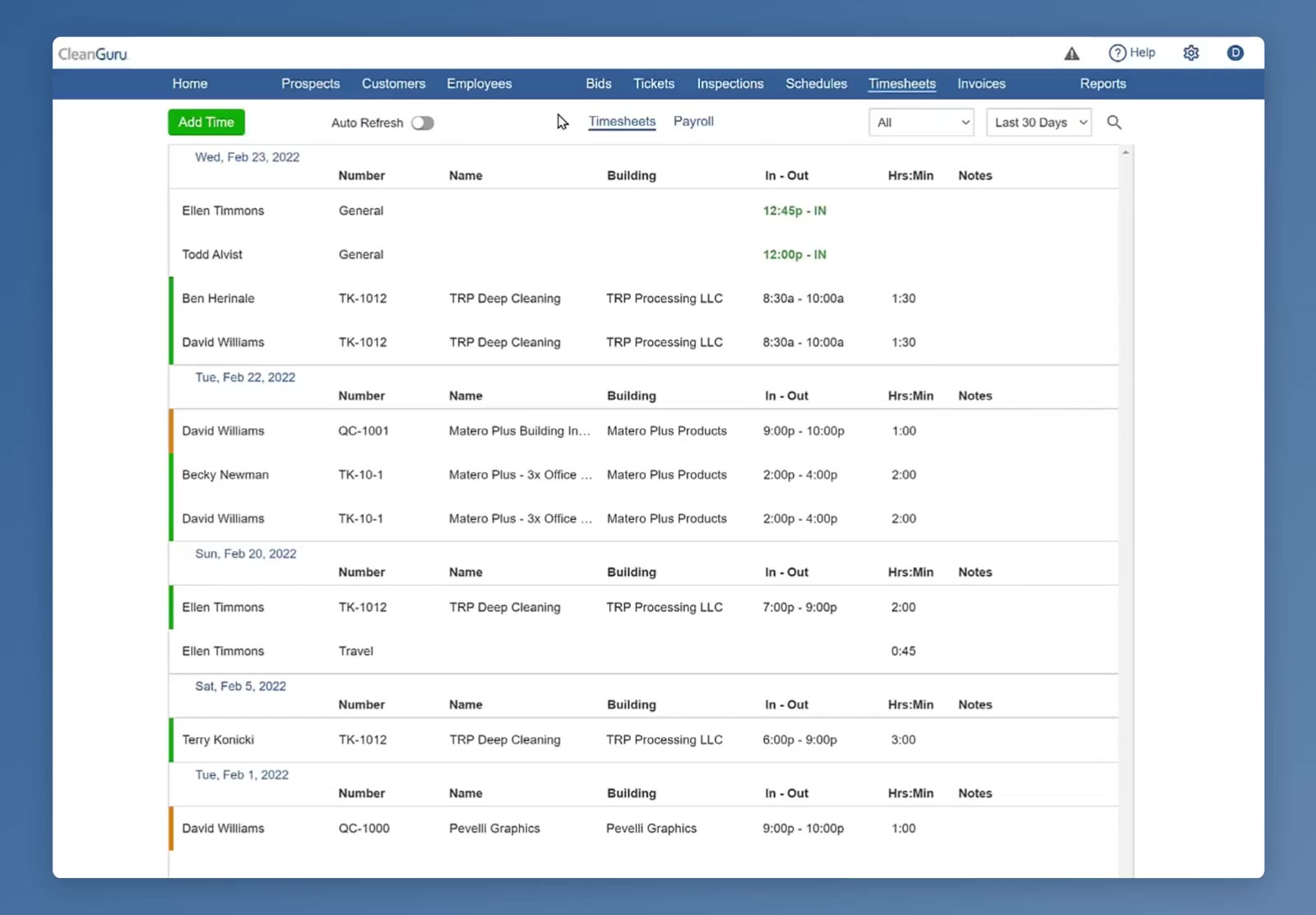
The Timesheets tab, grouped by date, with Auto Refresh off.
Turn Auto Refresh on
Click the Auto Refresh toggle at the top left, beside Add Time. It turns green and the list starts updating on its own.
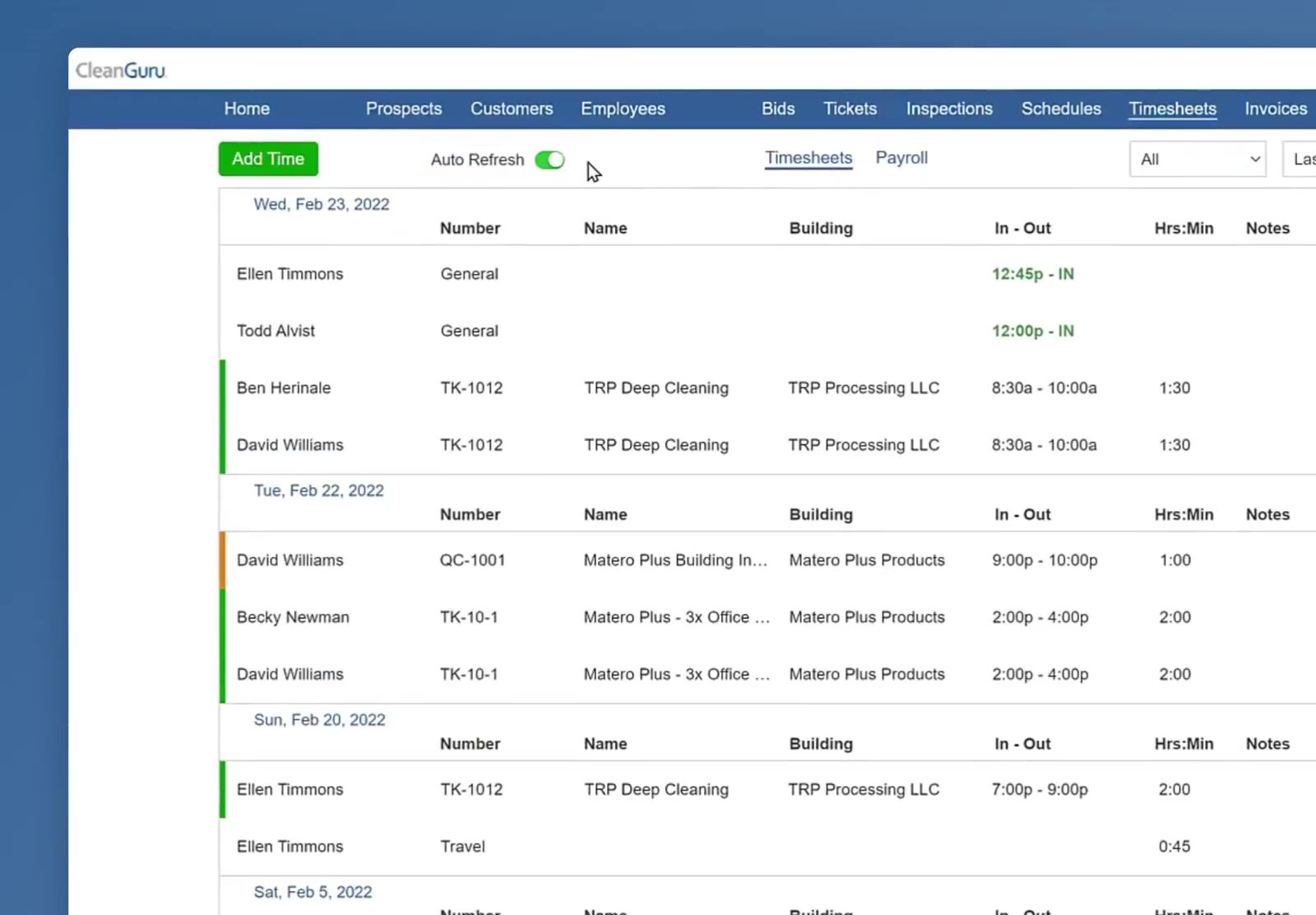
Auto Refresh switched on — the toggle is green and the list is now updating by itself.
Reading the List While It Updates
Each row is one entry: the ticket number, the job, the building, the times and the hours. The bar down the left of a row says what the work is — green for a ticket, orange for an inspection.
See who is still on the clock
An entry that is still running shows its check-in time in green with IN in the In - Out column. A finished shift shows both times, and its length in Hrs:Min.
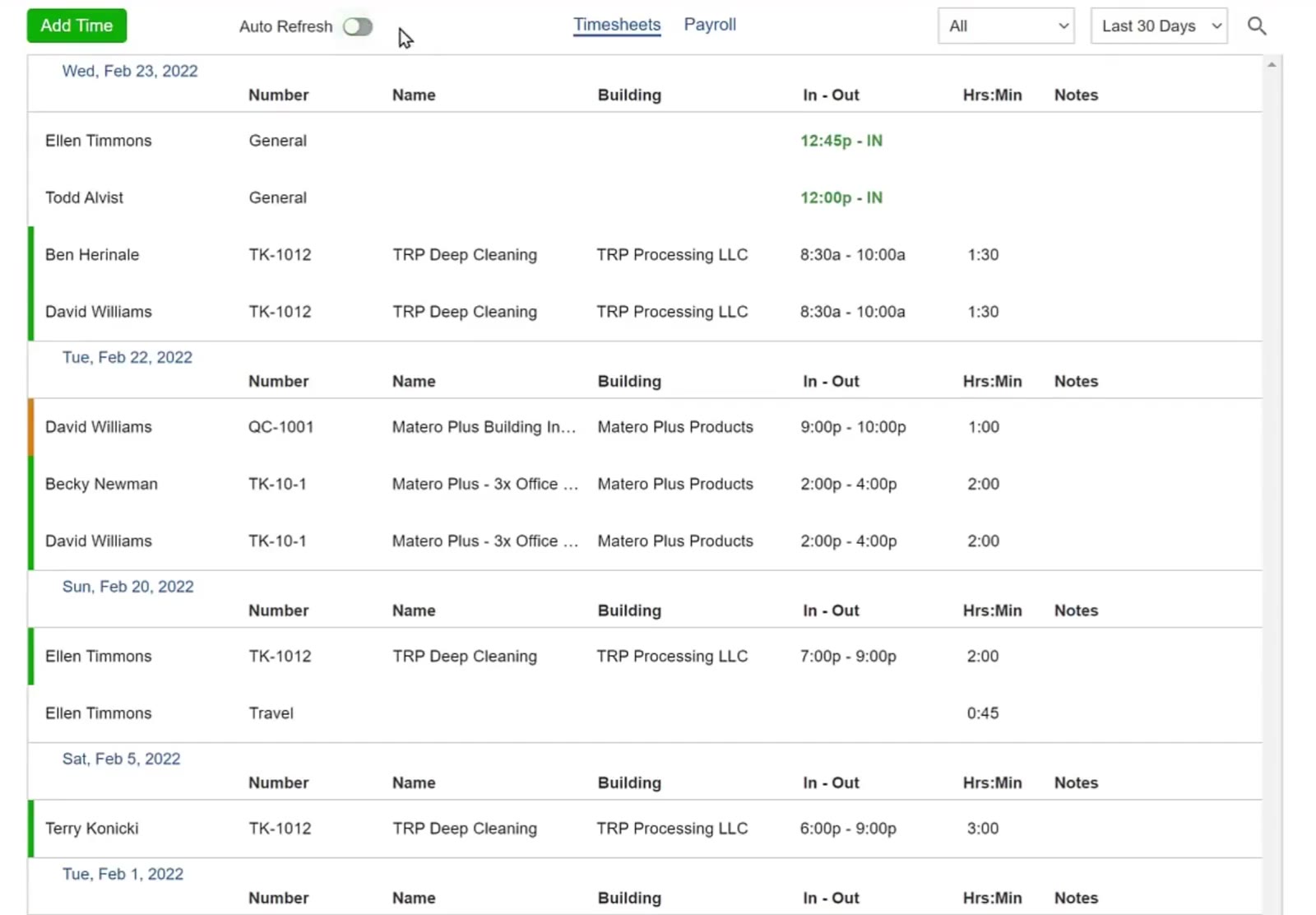
An entry still running shows its check-in time in green with IN; a finished shift shows both times and its total.
Turning It Off
Auto Refresh stays on until you switch it off — CleanGuru never changes it for you.
Turn Auto Refresh off
Click the toggle again. It turns gray and the list holds still, which is what you want before you use the filters at the top right or read down a long list.
Left on, Auto Refresh turns the Timesheets page into a live board you can leave open and glance at; switched off, it is a still list you can read and filter without anything moving under you.
FAQ
How often does the list update?
About once a minute, while Auto Refresh is on.
Does CleanGuru ever turn Auto Refresh off by itself?
No. It is a manual switch — once you turn it on it stays on until you click it off.
When should I turn it off?
Whenever you want the list to stay still: while you filter, or while you read down a long list. Leave it on when you are watching check-ins and check-outs as they happen.
Does Auto Refresh change any of my timesheet data?
No. It only reloads what is on the screen, so you see new check-ins and check-outs without pressing anything.