
Delete Bid
Deleting a bid removes it and everything attached to it — the measurements, the task list, the pricing and the proposal. There is no undo, so the first half of this job is making sure you have the right bid on screen.
Find the Bid
Open the right module
In the top navigation bar, hover Bids and choose the module the bid lives in — Janitorial, Disinfecting, Maid, Carpet, Window, Tile, Move In/Out or Construction.
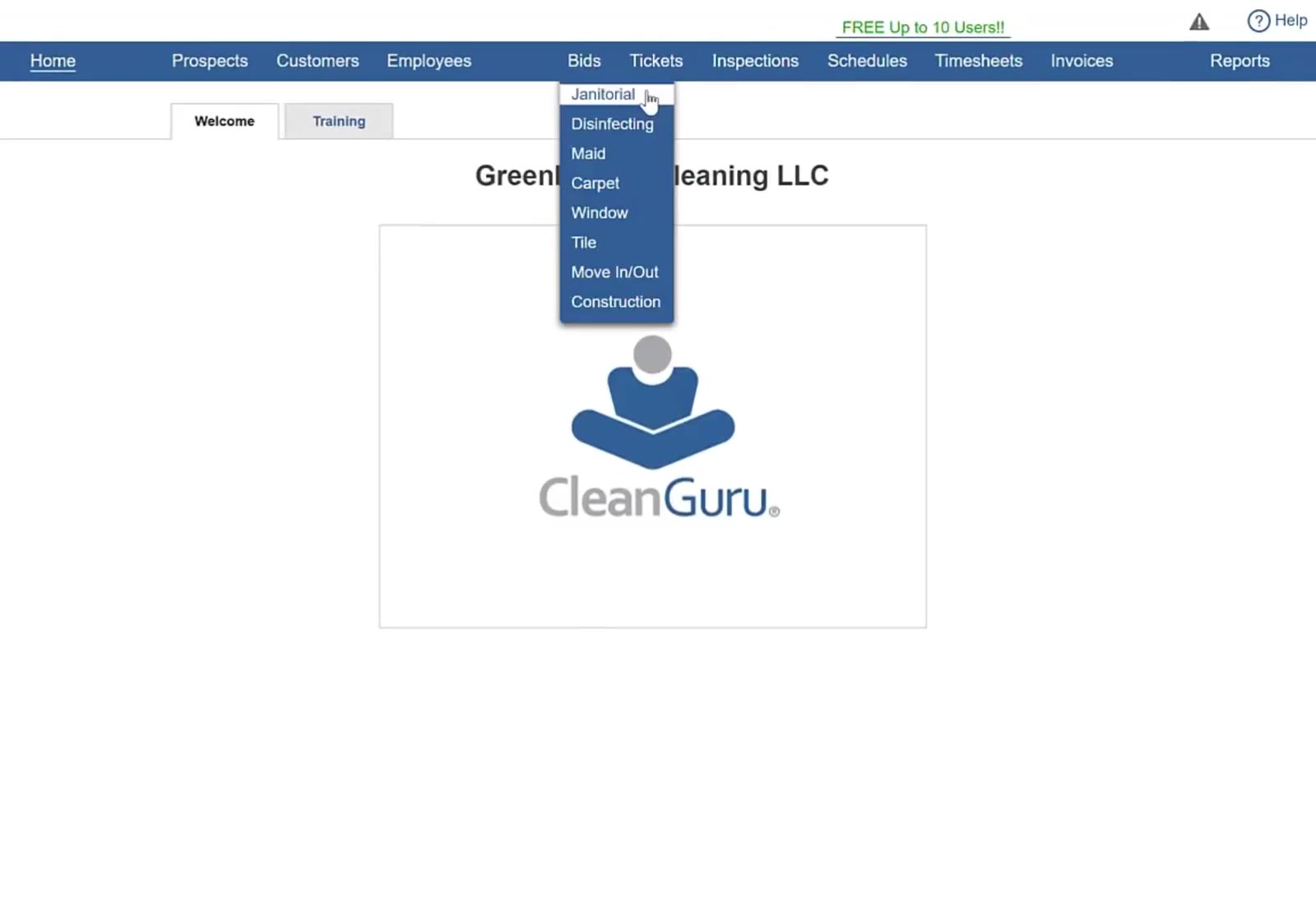
Hover Bids in the top navigation bar and choose the module the bid is stored in.
Select the bid
Open the Select Existing dropdown at the top of the screen and click the bid you want to remove. Each entry shows the date it was created, and there is a search box at the top if the list is long.
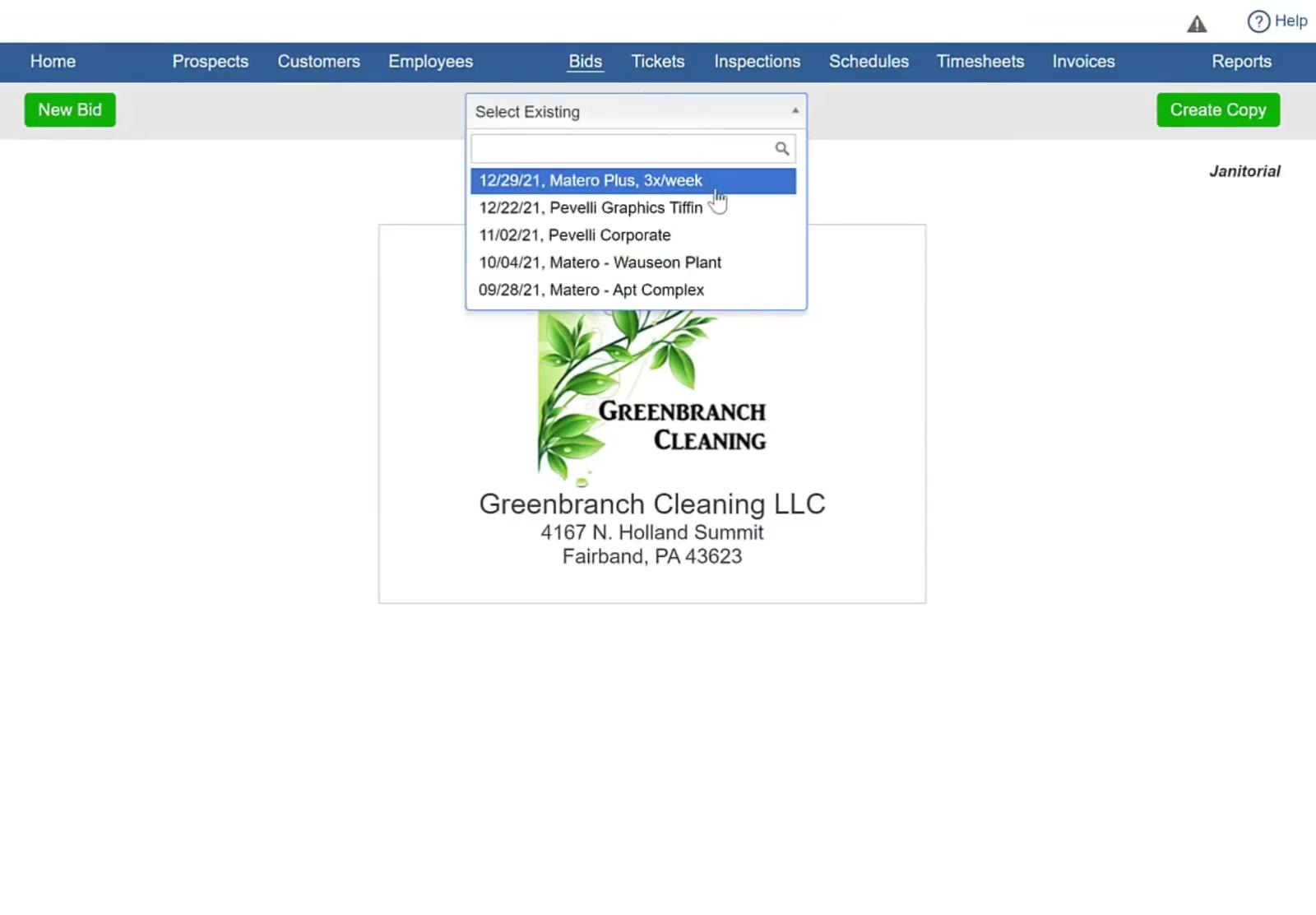
Select Existing lists every bid in that module with the date it was created.
Check it is the right one
The bid loads its details page. Confirm the customer, building, address and frequency, and the primary contact on the right, before going any further.
Delete It
Open the bid menu
Click the green Menu button at the top right of the details page.
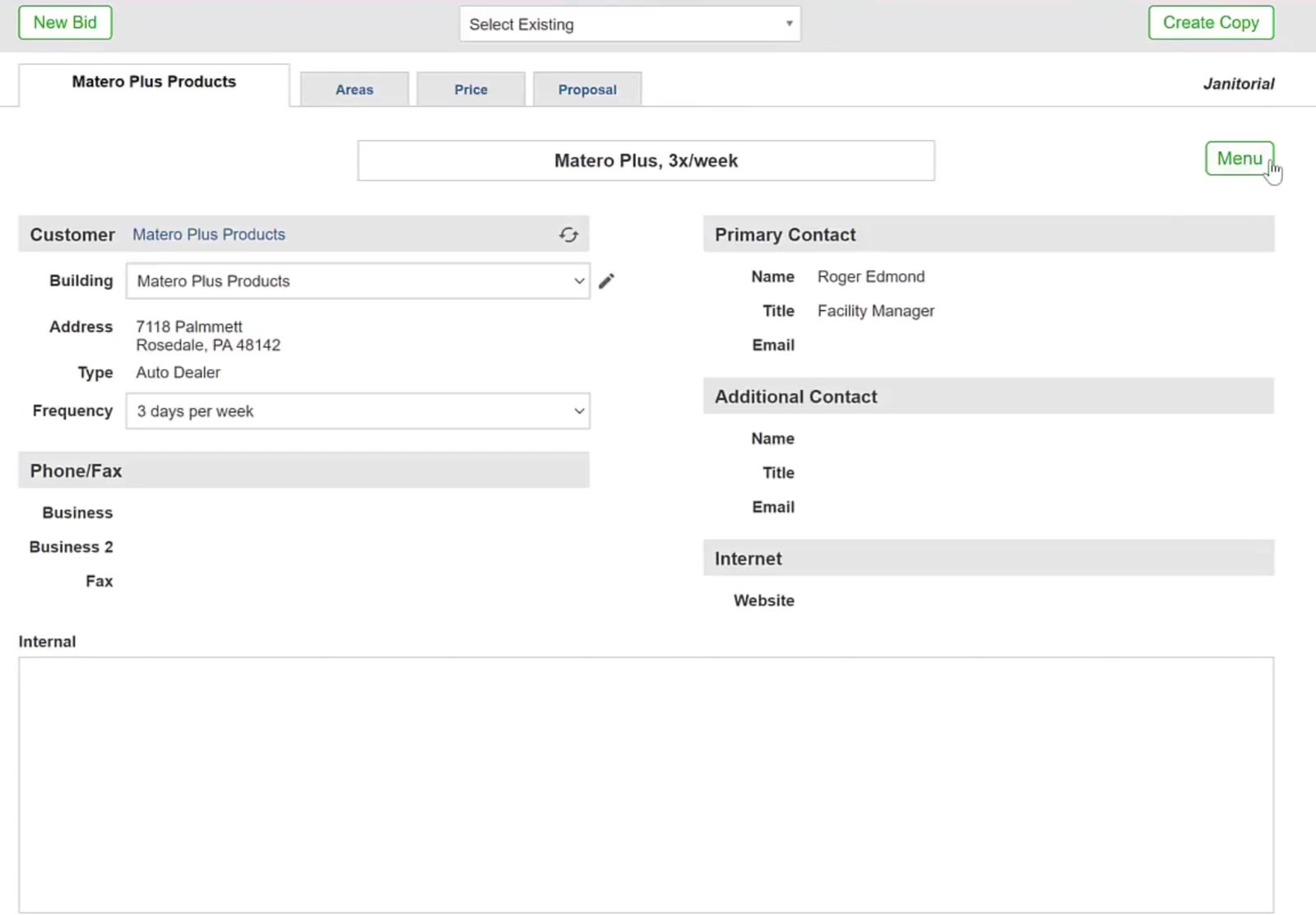
The Menu button sits at the top right of the bid details page.
Choose delete
The menu offers create copy and delete. Click delete.
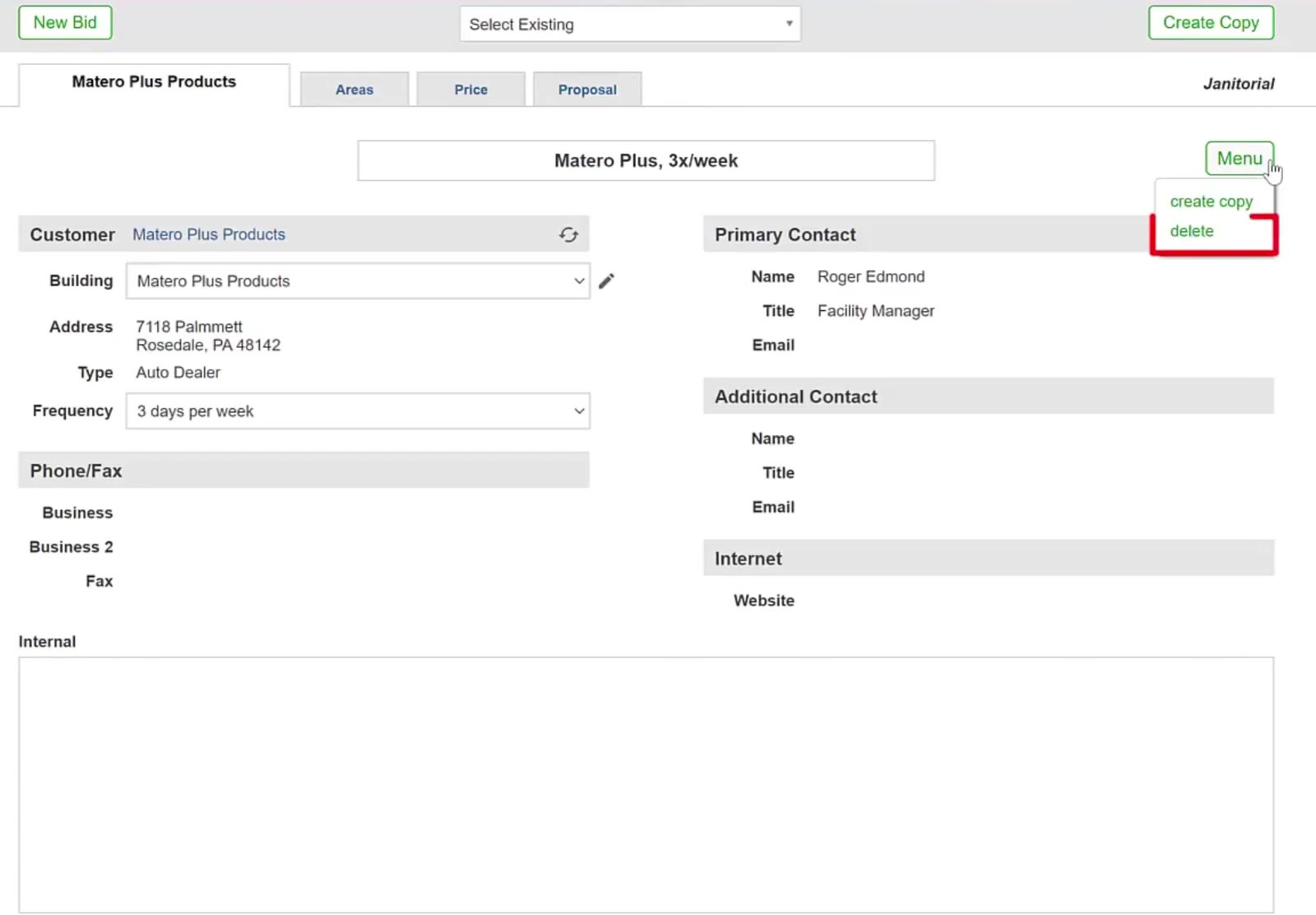
The menu offers create copy and delete.
CleanGuru removes the bid and returns you to the module's bids screen. The bid is gone from the Select Existing list, and so is everything that belonged to it.
FAQ
Can I undo a deletion?
No. Deleting a bid removes its measurements, task list, pricing and proposal permanently. Check the customer and building on screen before you click delete.
What if I only want a different version of the bid?
Use create copy in the same menu, or Create Copy at the top right of the bids screen. That leaves the original alone and gives you a second version to change.
Does deleting a bid remove the customer or prospect?
No. The bid is deleted; the customer or prospect record, and any other bids for them, are untouched.
I cannot find the bid in the list.
Check you are in the right module — a janitorial bid does not appear in the carpet list. The Select Existing dropdown has a search box at the top if the list is long.
Does deleting a bid affect invoices or schedules?
No. It removes the bid record only.