
Use Consumable Supply Calculator
CleanGuru's Consumable Product Calculator works out what a building's paper, soap and liners will cost you each month, so you can put a supply figure in front of a client.
Open the Calculator
Open the calculator
Click the gear icon at the top right of CleanGuru and choose Consumable.
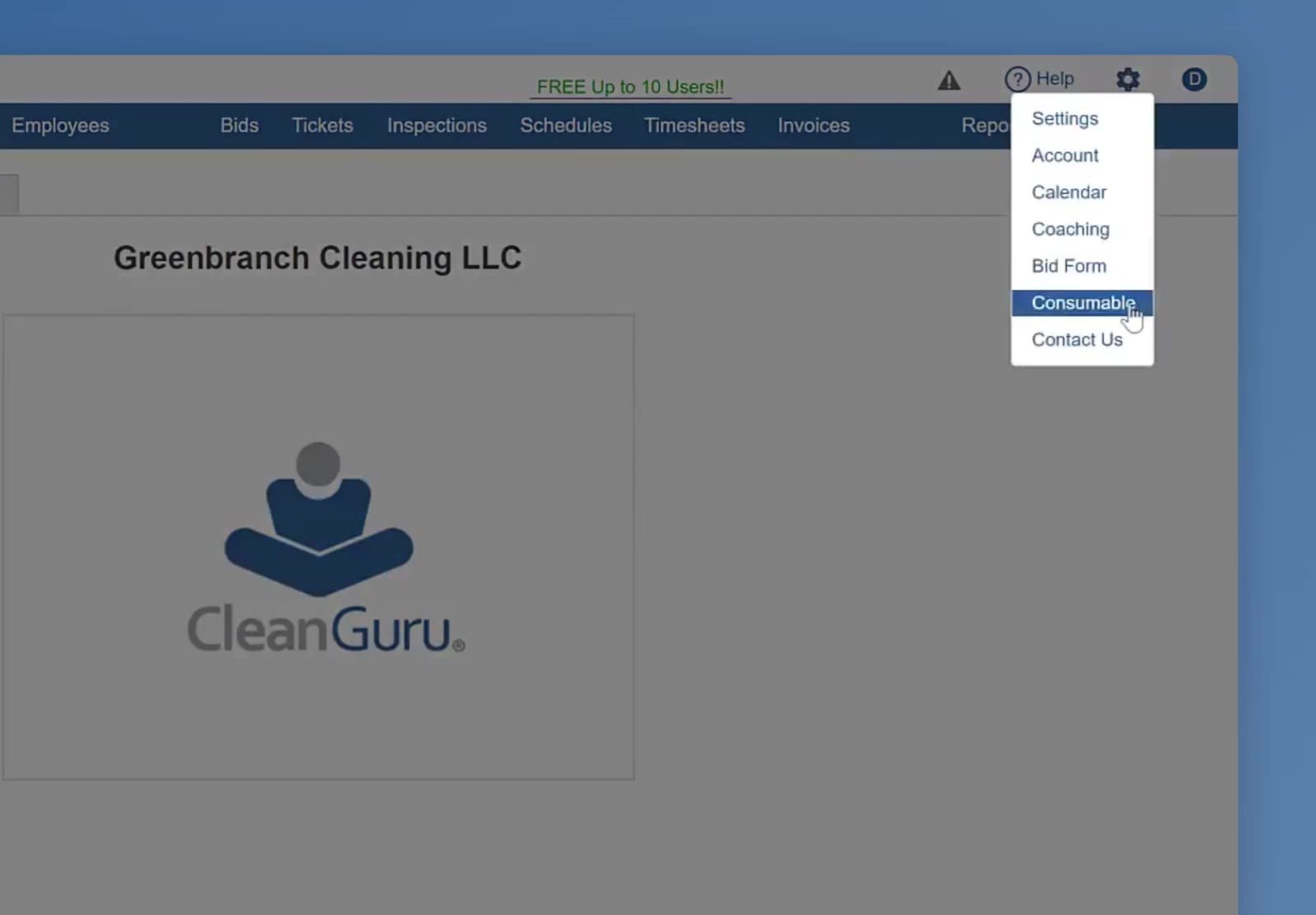
The gear menu at the top right holds Consumable, which opens the calculator.
Each product has an information icon beside it. It spells out how that product is packaged — 2-ply toilet tissue, for example, is 500 sheets per roll and 96 rolls per case.
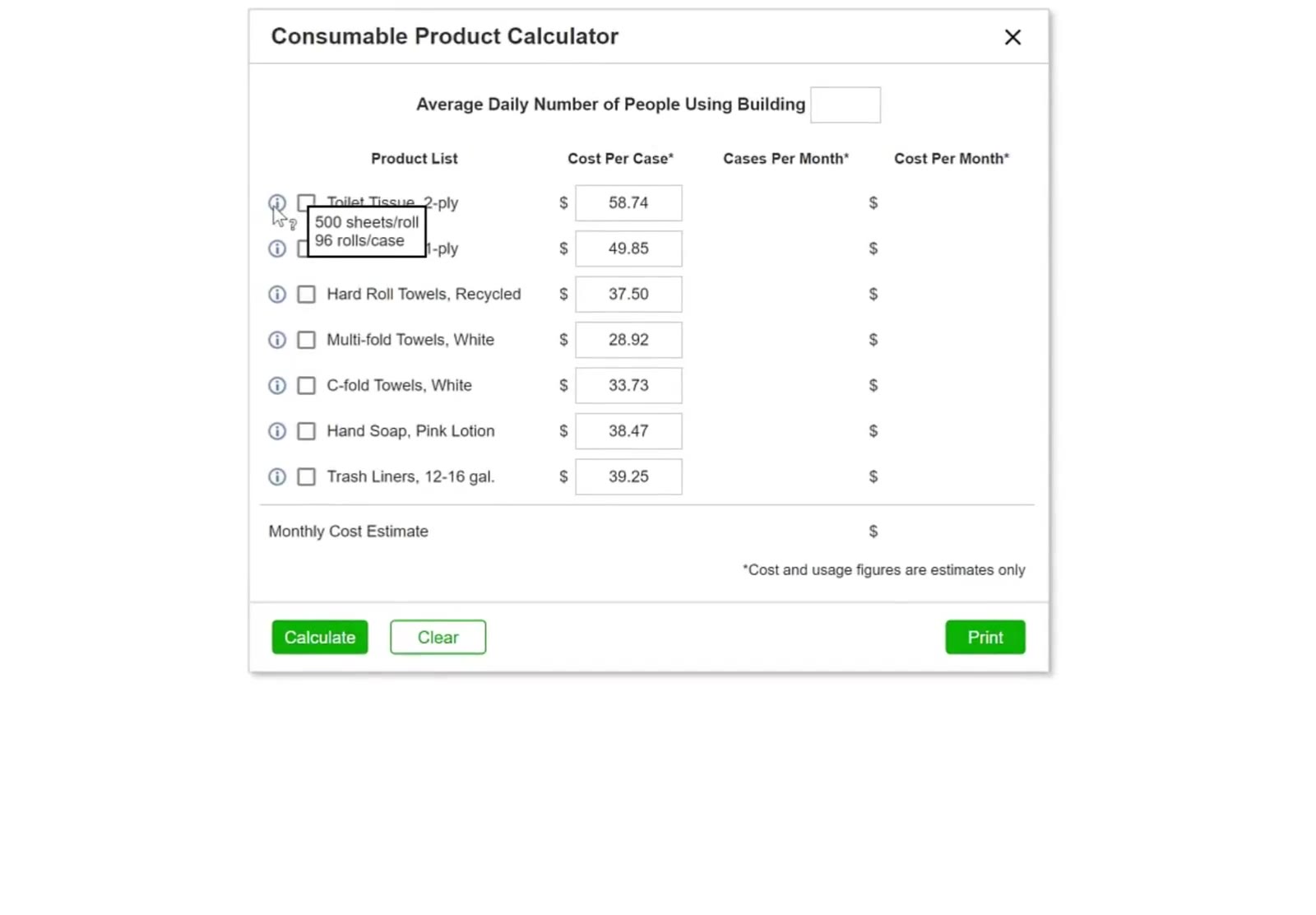
The information icon shows the sheet count and the number of rolls in a case.
Set Up the Estimate
Choose the products
Check the box beside each product you supply to that building. The list holds seven: Toilet Tissue 2-ply and 1-ply, Hard Roll Towels Recycled, Multi-fold Towels White, C-fold Towels White, Hand Soap Pink Lotion, and Trash Liners 12-16 gal.
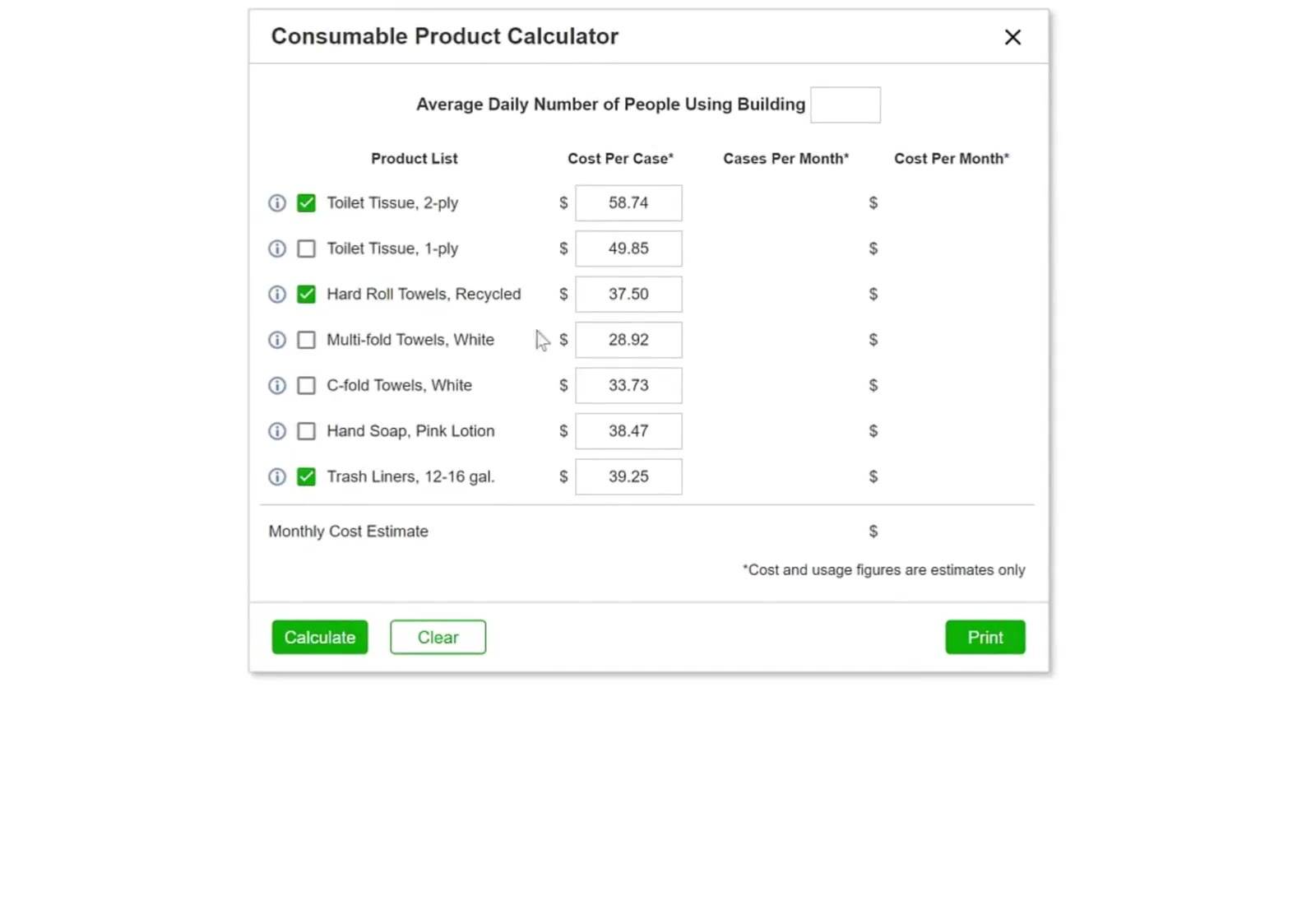
Only the products you check are counted; the rest stay out of the total.
Set your own cost per case
The prices that load are starting figures. Click into the Cost Per Case field on any row and type what you actually pay. The change applies to this estimate only.
Enter the building's occupancy
At the top of the window, type the Average Daily Number of People Using Building.
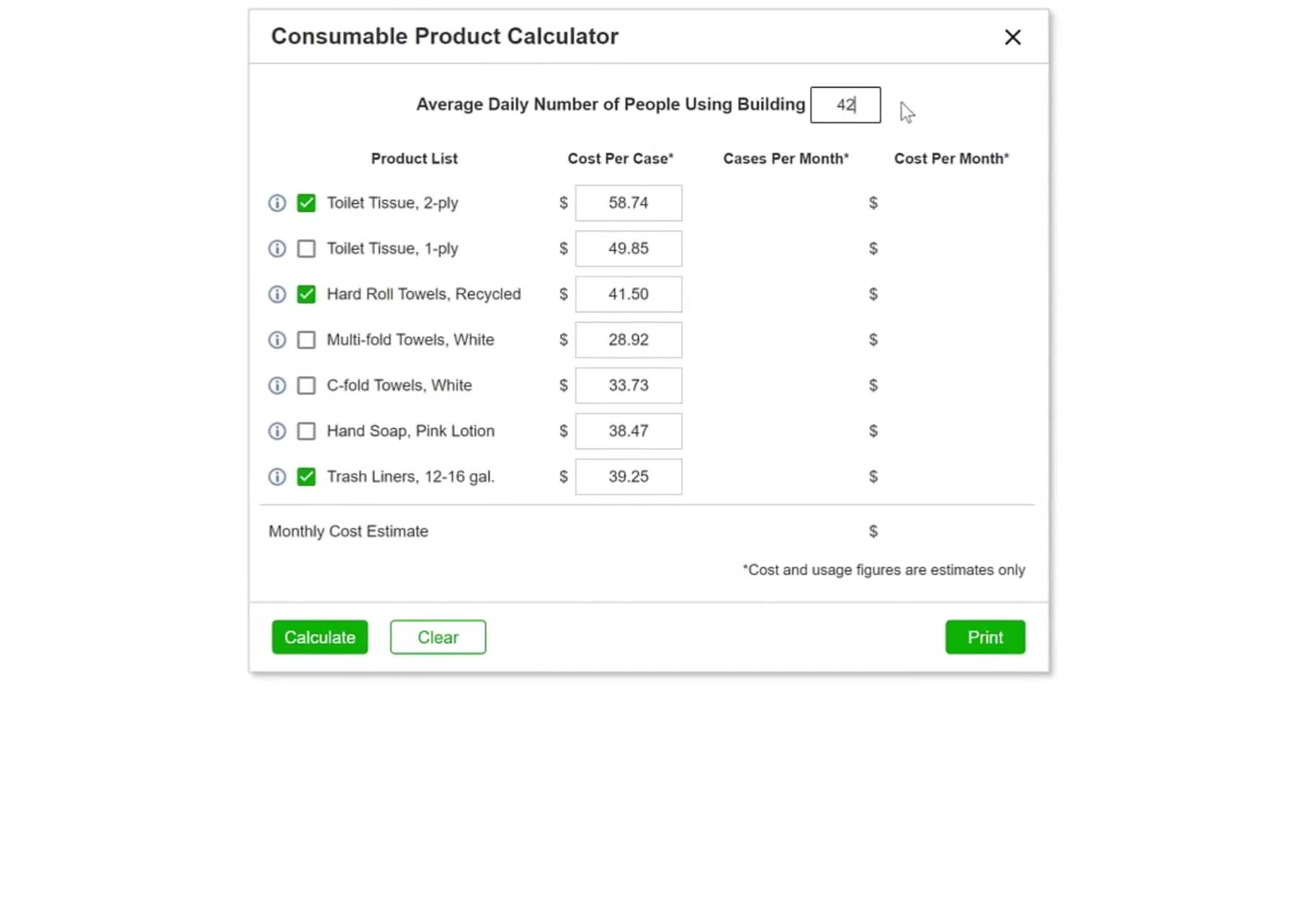
Occupancy goes in the field at the top, and Cost Per Case is editable on every row.
Calculate and Print
Calculate
Click Calculate at the bottom left. CleanGuru fills in Cases Per Month and Cost Per Month for each product, and the Monthly Cost Estimate at the bottom of the table.
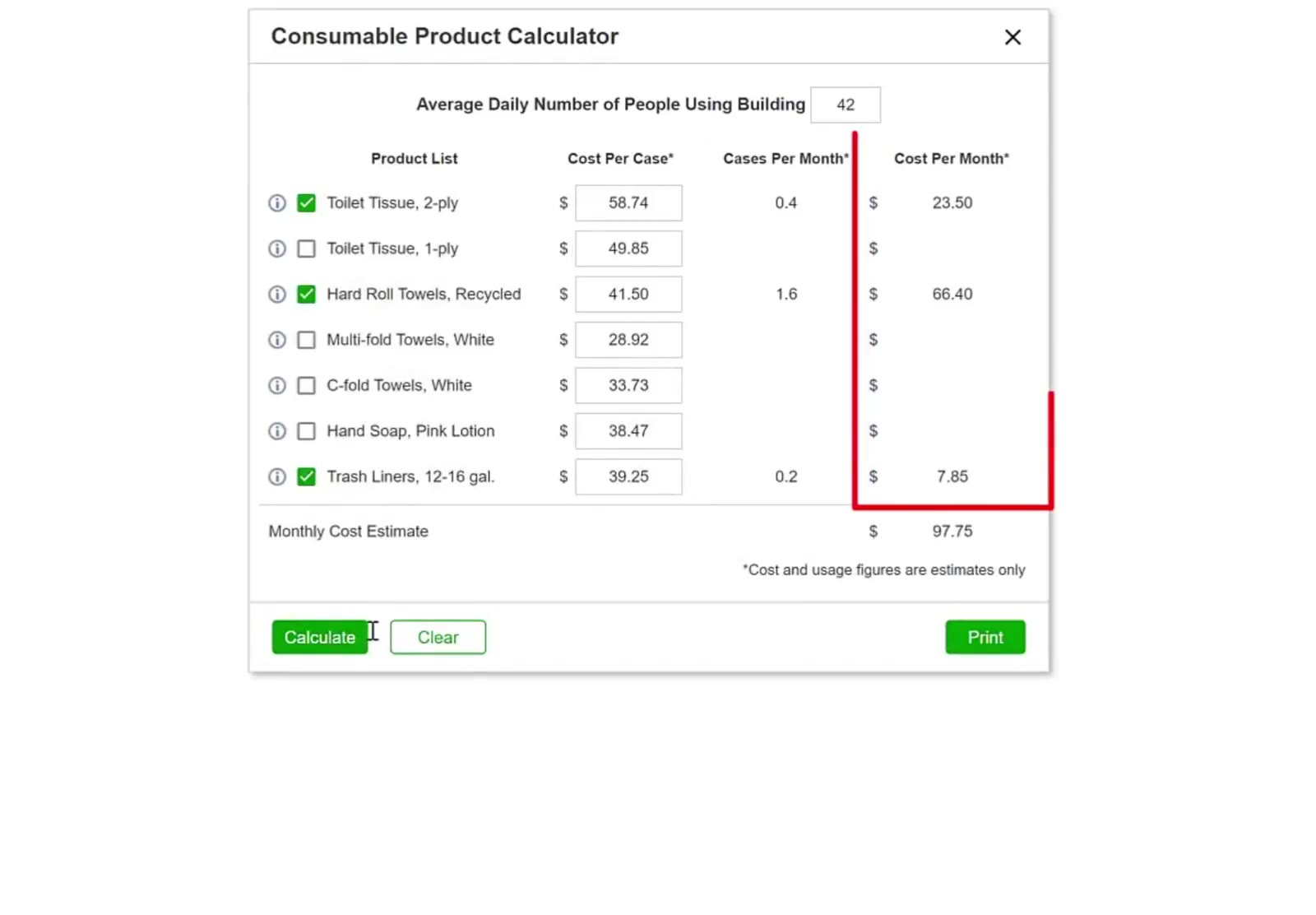
Calculate fills in the cases and cost for each product, and totals them at the bottom.
The calculator says so itself under the table: cost and usage figures are estimates only. Treat the total as a starting figure, not a quote.
Print it
Click Print at the bottom right. You get the calculator exactly as it appears on screen — the products, the costs and the monthly total.
Start over or close
Click Clear to empty the form. Click the × at the top right to close the calculator.
FAQ
Which products does the calculator cover?
Toilet Tissue 2-ply, Toilet Tissue 1-ply, Hard Roll Towels Recycled, Multi-fold Towels White, C-fold Towels White, Hand Soap Pink Lotion, and Trash Liners 12-16 gal.
Where do I find the sheets per roll or rolls per case?
The information icon beside each product. For Toilet Tissue 2-ply it reads 500 sheets per roll, 96 rolls per case.
Can I change the cost per case?
Yes. Click the Cost Per Case field on that row and type your own price before you calculate.
Are the figures exact?
No, the calculator displays “Cost and usage figures are only estimates” beneath the table..