
Enter Measurements - Express
Express is the quickest way to get a building's measurements into a bid. You give CleanGuru one number — the building's total cleanable square footage — and it spreads that across the usual areas for you, so you can price the bid without measuring room by room.
Open the Express Box
Open the measurement box
On the Areas tab of a bid, an Enter Measurements box asks how you want to enter the building's measurements.
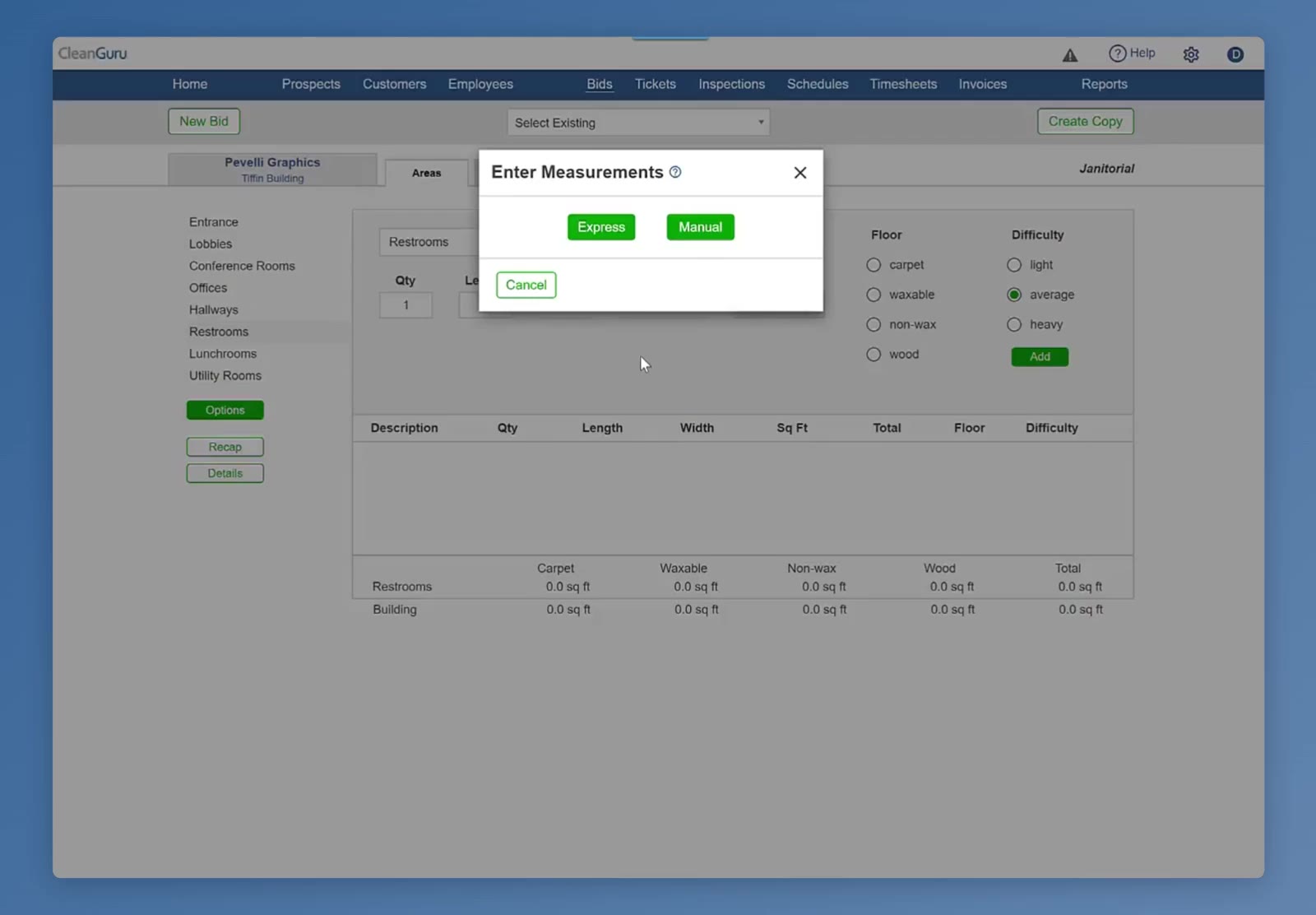
The Enter Measurements box offers Express or Manual.
Choose Express
The Express box opens with Total Sq Ft at the top and columns for Area, Sq Ft, Floor and Type.
Enter the Building's Size
Type the total
Enter the building's total cleanable square footage in the Total Sq Ft box at the top. CleanGuru spreads that number across the usual areas and fills in a percentage for each one.
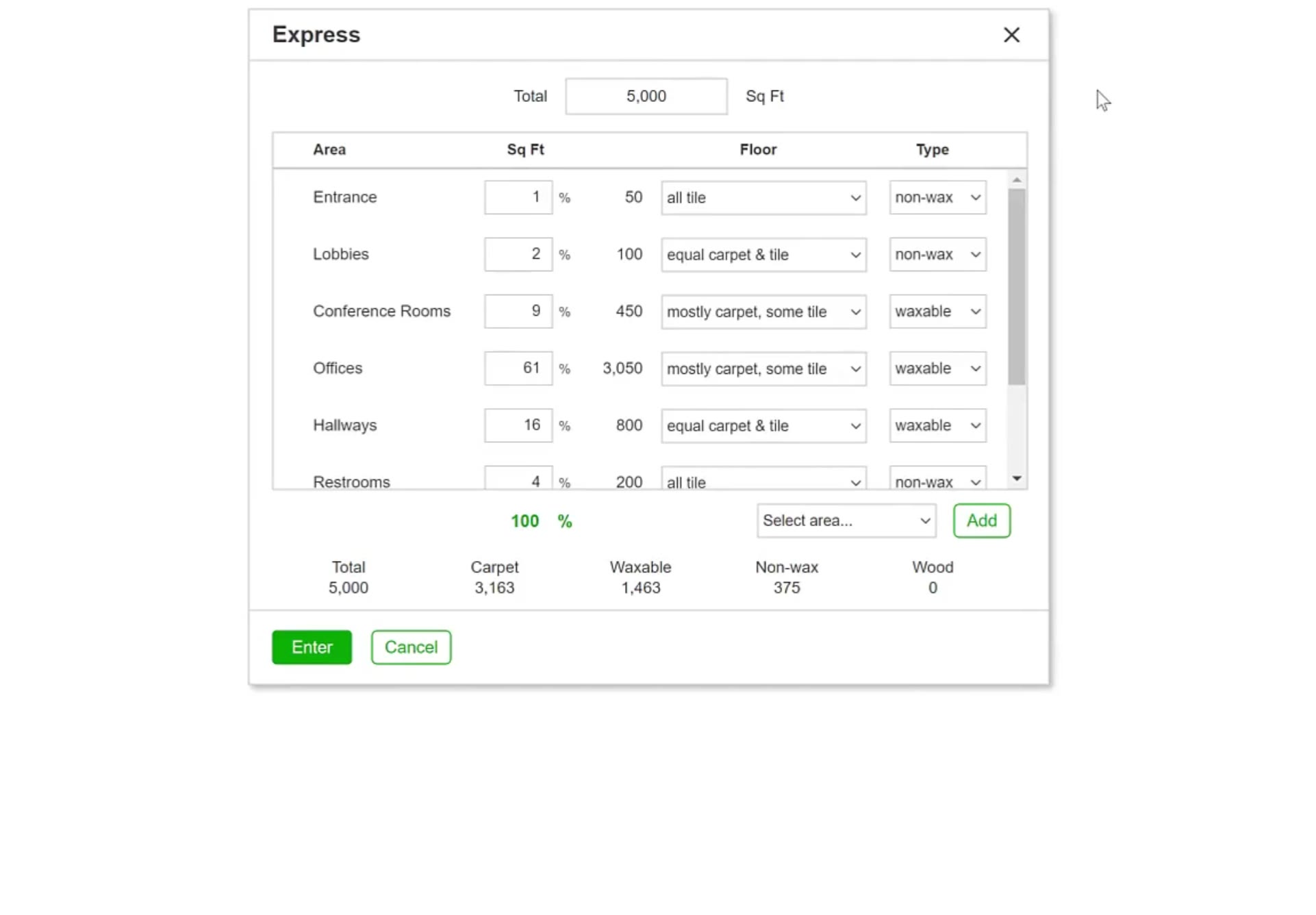
Entering the total spreads it across the usual areas and fills in the square footage for each.
Adjust the Mix
Change a percentage
Type a new percentage in the Sq Ft column for any area and CleanGuru shows the square footage it works out to. The running percentage under the list is red until the areas add up to exactly 100, then turns green.
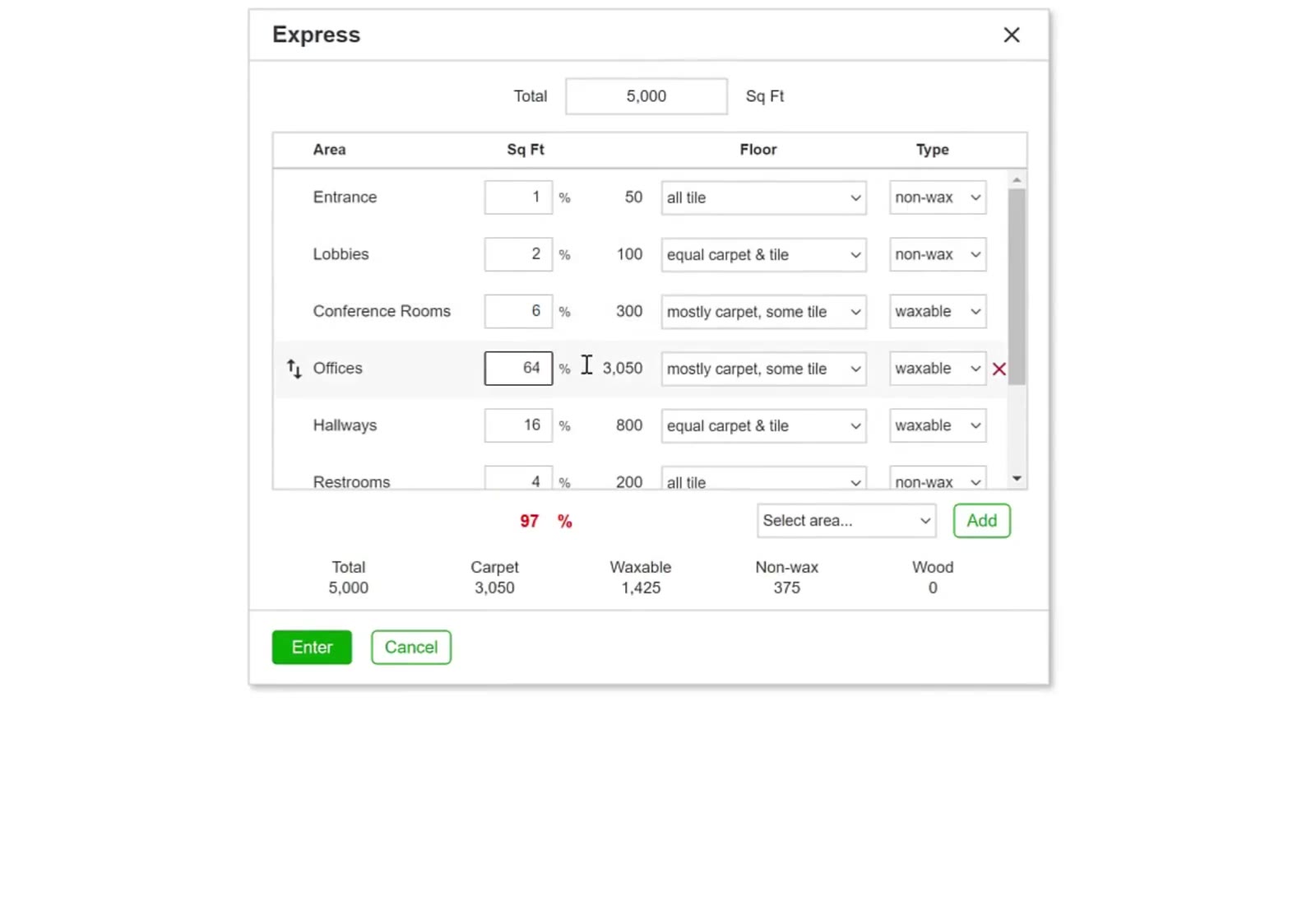
The running percentage is red until the areas add up to exactly 100.
Set the floor mix
In the Floor column choose how much of the area is carpet — all carpet, mostly carpet some tile, equal carpet & tile, mostly tile some carpet, all tile, or all wood.
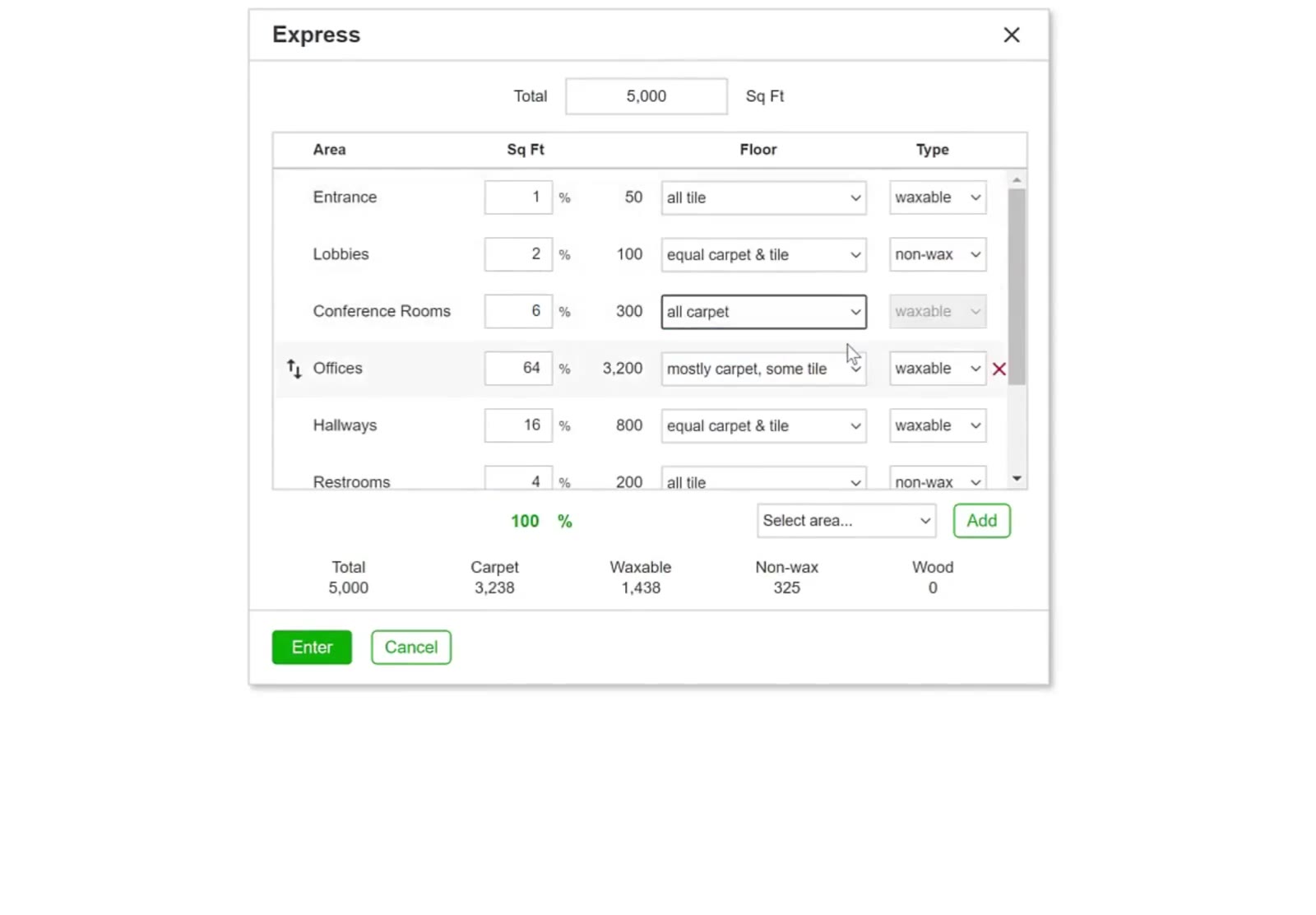
Conference Rooms set to all carpet — its Type dropdown greys out because the area has no hard floor.
Set the hard-floor finish
In the Type column choose waxable or non-wax for the hard floor in that area. The column greys out on any area whose Floor is all carpet or all wood.
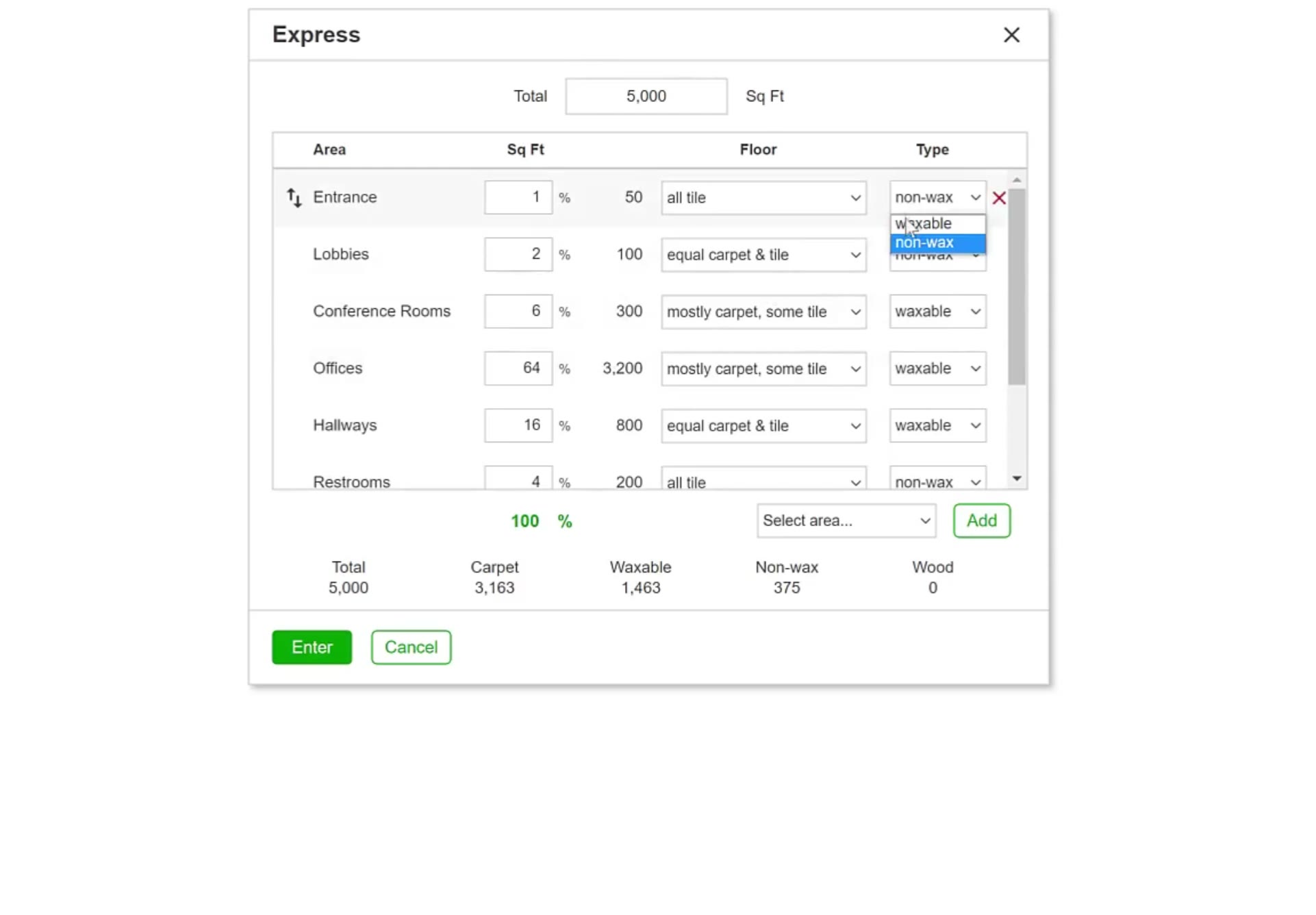
Type offers waxable or non-wax for the hard floor in an area.
Add an area
Pick one from Select area… and click Add. A row you are editing shows a reorder handle and a red X for removing it.
Save the Measurements
Check the totals and save
The totals under the list — Total, Carpet, Waxable, Non-wax and Wood — show how the square footage divides. Click the green Enter button to write the measurements onto the bid, or Cancel to close without saving.
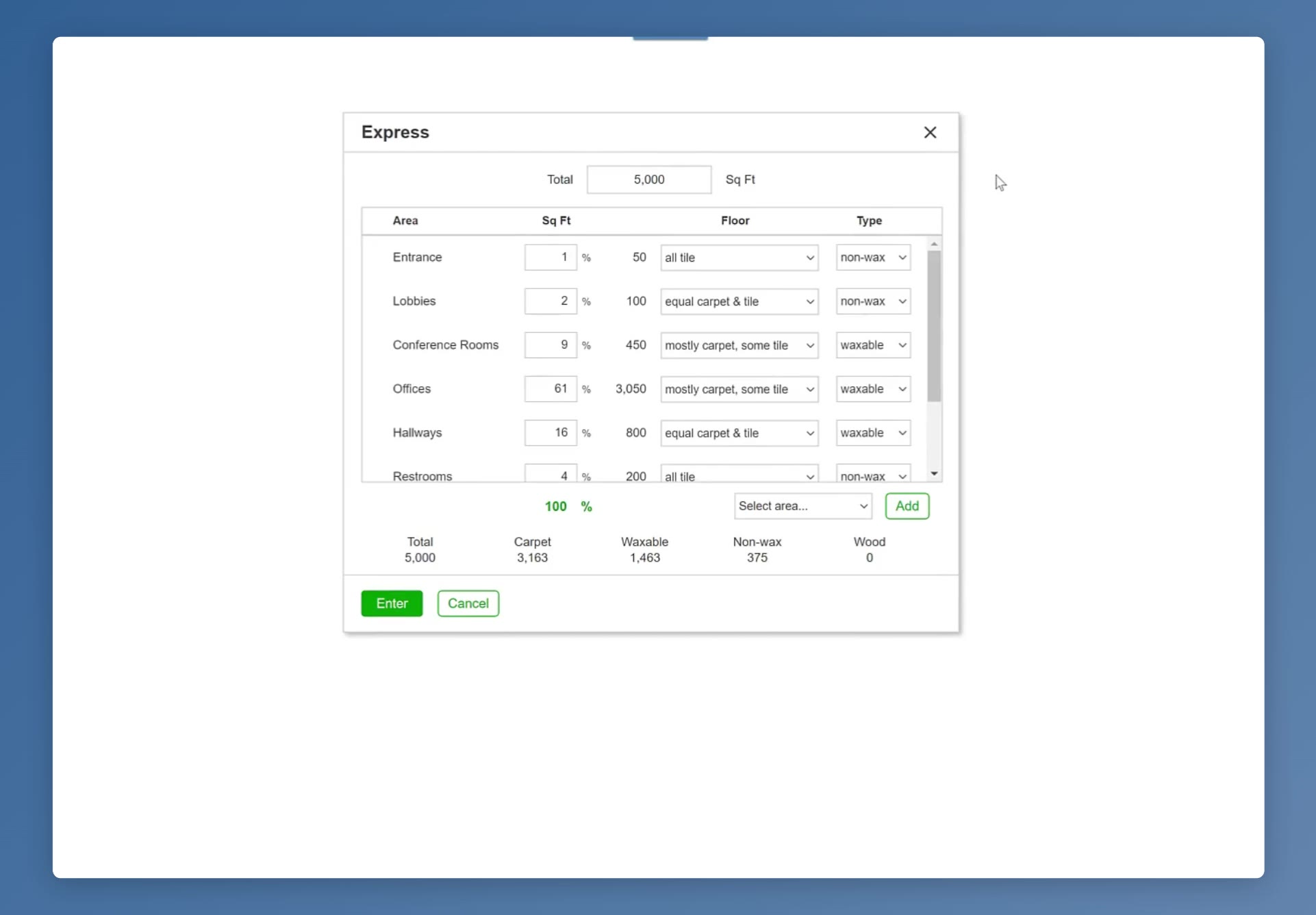
The totals under the list show how the square footage divides across carpet, waxable, non-wax and wood.
Click Enter and the areas and their square footage appear on the Areas tab, ready for tasks and pricing.
FAQ
Do I have to measure each area?
No. Express takes the building's total cleanable square footage and spreads it across the usual areas for you. Choose Manual instead if you would rather enter each area yourself.
What total should I enter?
The building's total cleanable square footage — the space that actually gets cleaned, not the gross size of the building.
Why is the percentage red?
The areas add up to something other than 100 percent of the building — under or over. Adjust the percentages until the running total turns green at 100.
Why can't I pick a Type?
The Type dropdown greys out whenever Floor is set to all carpet or all wood, because the area has no hard floor to finish.
Can I add an area that isn't listed?
Yes. Pick it from Select area… and click Add. Use the red X on a row to remove an area you do not need.
Will the Express box come up again?
No. It only opens while the bid has no measurements. After that you add an area from the Areas tab: click Options, then the Add Area button in the sidebar.